Time Entry
EdWard makes it easy for employees to log their work hours, track entitlements, and submit timesheets for approval. This guide walks you through the process of creating a timesheet entry, editing an existing entry, and submitting your timesheet.
My Timesheet
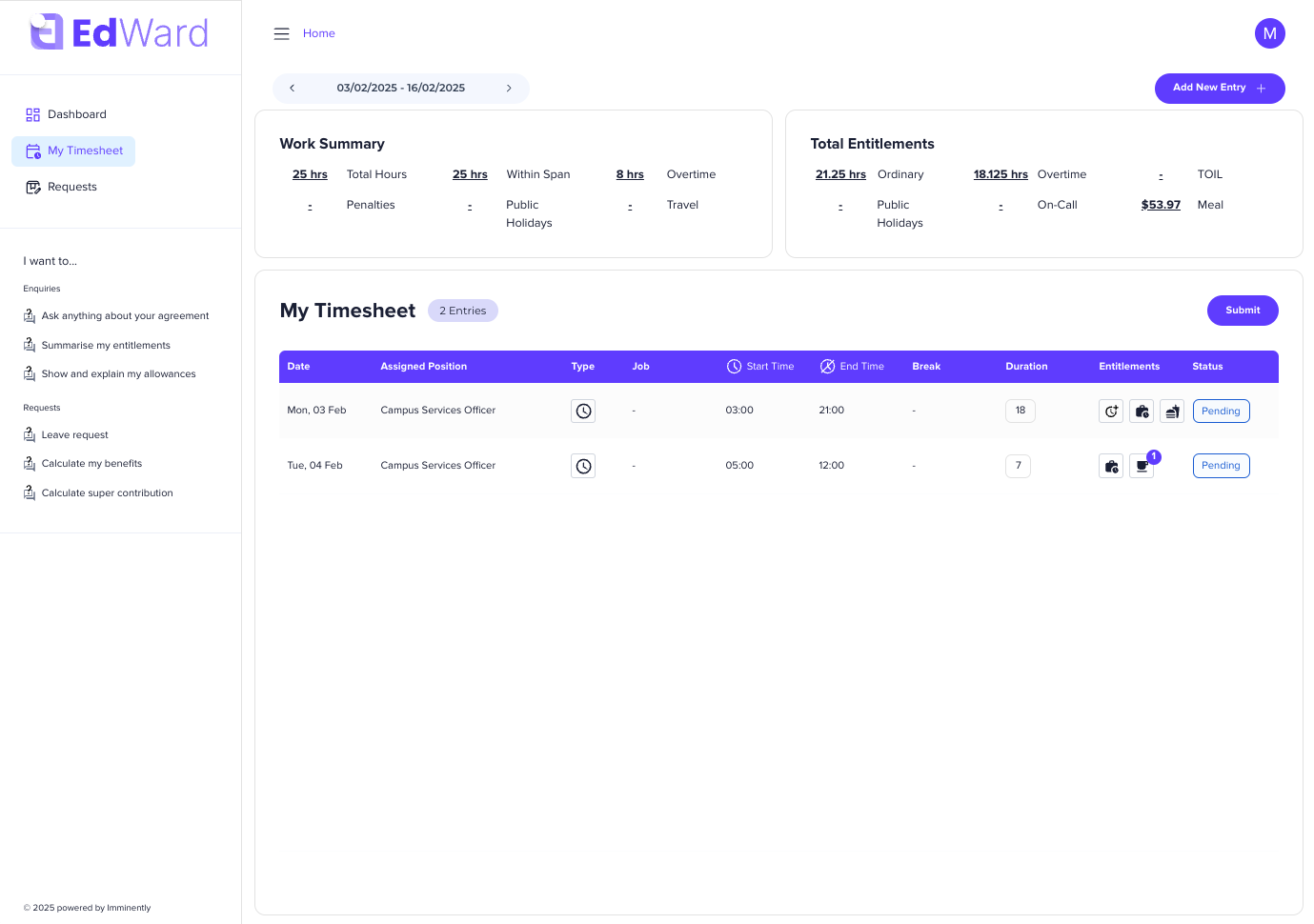
When you log into EdWard, you’ll land on the Dashboard. To access your timesheet, follow these steps:
- Click on “My Timesheet” in the left-hand menu.
- You will see an overview of your Work Summary, listing your entitlements for the period. This will differ depending on your configuration.
- Below this, you will see a table listing your current timesheet entries.
Adding a New Timesheet Entry
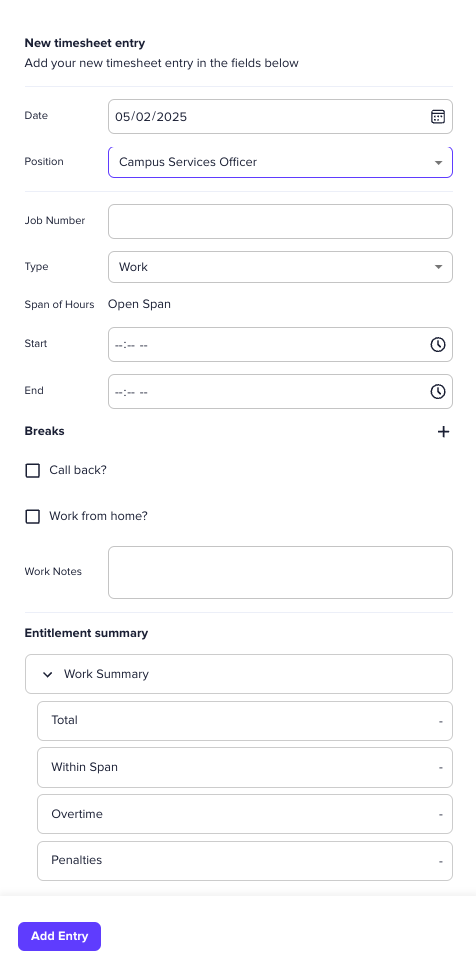
To add a new timesheet entry:
- Click the “Add New Entry” button in the top-right corner of the screen.
- A side drawer will open on the right, where you can input your work details. Your screen will look different depending on the date and position you select, as well depending on your system configuration.
- As you enter these details, your entitlements will automatically calculate in real time in the “Entitlement Summary” section below.
- Once all required fields are completed, click “Add Entry” to save your timesheet entry.
Viewing and Editing an Existing Entry
After adding an entry, it will appear in the timesheet table. To make changes:
- Locate the entry in the table.
- Click on it to reopen the side drawer.
- Update the necessary details.
- Click “Save” to apply the changes.
Submitting Your Timesheet for Approval
Once you have logged all your work hours for a given period:
- Review your entries in the timesheet table.
- Click the “Submit” button.
- Your timesheet will be sent to your manager for approval.
Key Features & Notes
- Real-Time Calculations: Your entitlements (overtime, allowances, etc.) update automatically as you enter details.
- Multiple Positions Supported: Ensure you select the correct position when adding an entry.
- Easy Edits: Click on any entry in the table to modify it.
- Approval Process: After submission, your manager will review and approve your timesheet.
By following these steps, you can efficiently log your work hours and ensure accurate entitlements in EdWard. 🚀